Skip to content
VinesFlow
FBR digital invoicing

Filing is not a separate job any more.

VinesFlow talks to FBR directly from the invoicing screen. You raise the invoice the way you always did; the system files it, brings back the IRN and QR code, and keeps the response on record.

Filed on saveIRN + QR on the printNo per-invoice fee
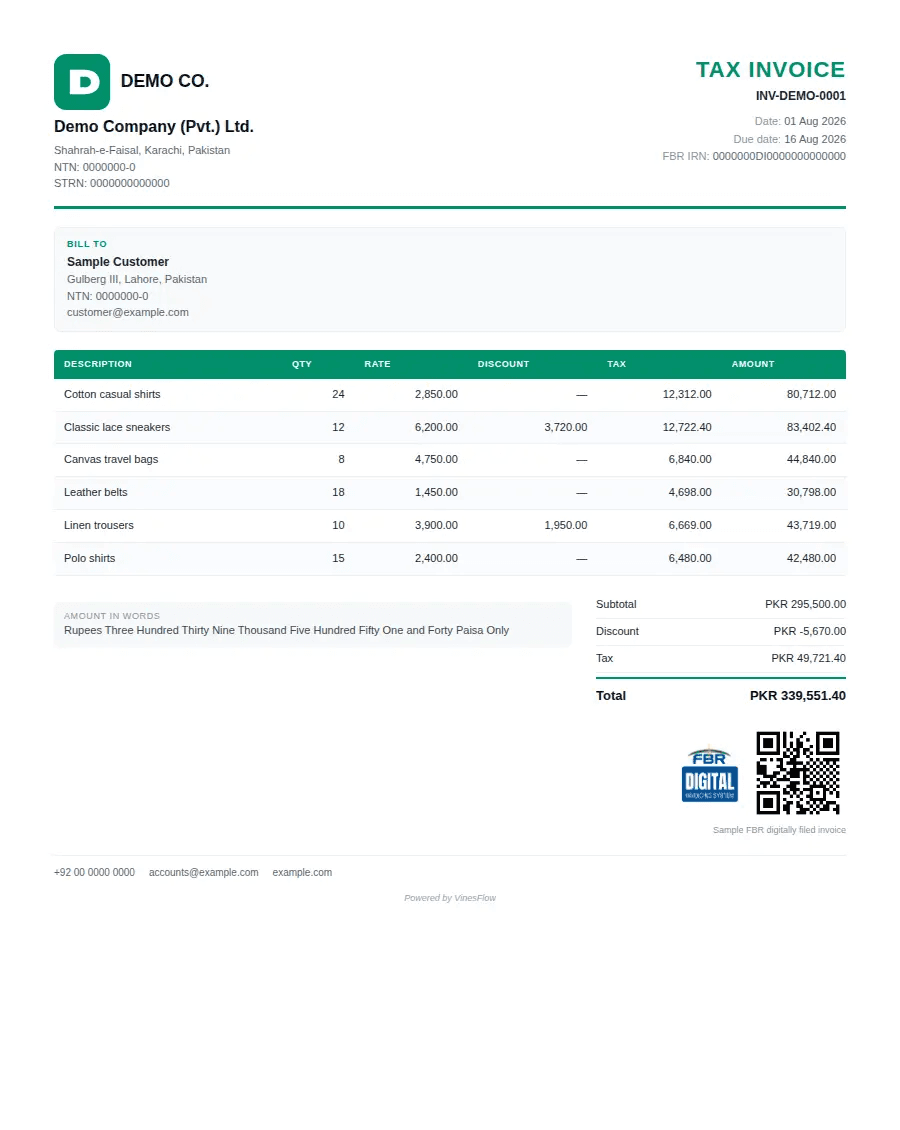
A VinesFlow tax invoice with its FBR IRN and QR code

What happens when you press save

Four things, none of which anyone has to remember to do.

Step 01

The invoice is built

Buyer details, HS codes, rates and tax come from records you already keep.

Step 02

It is sent to FBR

Transmitted as part of saving. There is no second screen to visit.

Step 03

IRN and QR come back

Both land on the printable invoice, ready for the customer and for inspection.

Step 04

The response is kept

Status, timestamp and payload stay attached to the invoice for as long as you need.

Start in the sandbox

You do not need FBR credentials to begin. We set you up against the sandbox, run your real tax scenarios through it, and only switch to production once the print looks exactly right.

Sandbox onboarding included in every plan
Your own item, tax and buyer setup tested first
Rejections explained in plain language, field by field
Retry a failed filing without re-keying the invoice
Filing record · INV-DEMO-0001Cleared
Environmentsandbox
FBR IRN0000000DI0000000000000
Filed at01 Aug 2026 · 14:22
Raised bythe name on the account
QR on printyes · beside the total
Attempts1 · no retry needed
every filing keeps its response on the invoice

What we handle for you

The parts of digital invoicing that usually become someone's second job.

Tax setup, once
Rates, exemptions and HS codes configured against your items so every invoice is built right.
Invoice print
Your letterhead, your numbering, and the IRN and QR in the places an inspector expects them.
Queued retries
If FBR is unreachable the invoice waits and files itself when the service answers again.
Credit notes too
Returns and adjustments are filed the same way, against the invoice they correct.
A filing log
Every attempt, response and retry on record, with the name of the person who raised it.
Multiple registrations
Each organization files under its own NTN and STRN, from the same login.

Questions owners ask

Do I need my own FBR credentials on day one?
No. We start you in the sandbox and move to production when your setup is proven.
Is there a charge per invoice filed?
No. Filing is part of the plan, up to the monthly invoice allowance you are on.
What if FBR rejects an invoice?
You see the reason on the invoice, fix the field and file again. Nothing is re-typed.
Can I keep invoicing if FBR is unreachable?
Yes. The invoice is queued and filed as soon as the service answers again.

Bring one of your invoices to the call.

we will file it in the sandbox while you watch
Book a demo